Author: Alif Tips

  • Chat to start writing, planning, learning and more with Google AI

    Chat to start writing, planning, learning and more with Google AI

    GM2:- Chat to start writing, planning, learning and more with Google AI

    Supercharge your creativity and productivity with Gemini, your AI assistant from Google.

    Gemini gives you direct access to Google’s best family of AI models on your phone so you can:

    – Go Live with Gemini to brainstorm ideas, simplify complex topics, and rehearse for important moments. Just click on the Gemini Live button in your Gemini app
    – Connect with your favorite Google apps like Search, YouTube, Google Maps, Gmail, and more
    – Study smarter and explore any topic with interactive visuals and real-world examples
    – Turn any file into a podcast that you can listen to anytime, anywhere
    – Create stunning images from just a few words
    – Plan trips better and faster
    – Get summaries, deep dives, and source links, all in one place
    – Brainstorm new ideas, or improve existing ones

    Try Nano Banana: state of the art image generation and editing built on Gemini 2.5 Flash

    Level-up your Gemini app experience by upgrading to the Pro plan–unlock new and powerful features to tackle complex tasks and projects and enjoy industry-leading 1M token context window (enabling Gemini to process up to 1,500 pages of text or 30k lines of code), and:
    – Get more access our most powerful model, like 2.5 Pro
    – Generate and dive into detailed reports on any topic with Deep Research powered by 2.5 Pro
    – Turn words into high-quality, 8 second video clips with video generation with Veo 3, and more.

    Google AI Pro is available in 150 countries and territories, and includes additional benefits. Gemini app, as part of Google AI Pro, will continue to be available to qualifying Google Workspace business and education plans. Learn more:

    Get the best of Gemini app by upgrading to the Ultra plan–unlock the highest level of access and exclusive features to turn anything into anything. Get the highest access to Google’s most powerful model, like 2.5 Pro, and features like video generation with Veo 3 and Deep Research. You’ll also get early access to try our newest AI innovations as they become available, including Agent Mode.

    Gemini in Google AI Ultra is available in the US and includes additional benefits as part of a Google AI Ultra subscription. Google AI Ultra is not currently available to Google Workspace business and education customers.

    If you opt in to the Gemini app, it will replace your Google Assistant as the primary assistant on the phone. Some Google Assistant voice features aren’t available through the Gemini app yet. You can switch back to Google Assistant in settings.

  • Fast and smart typing with Emojis, GIFs, and more

    Fast and smart typing with Emojis, GIFs, and more

    GB1:- Fast and smart typing with Emojis, GIFs, and more

    Gboard has everything you love about Google Keyboard—speed and reliability, Glide Typing, voice typing, Handwriting, and more

    Glide Typing — Type faster by sliding your finger from letter to letter

    Voice typing — Easily dictate text on the go

    Handwriting* — Write in cursive and printed letters

    Emoji Search* — Find that emoji, faster

    GIFs* — Search and share GIFs for the perfect reaction.

    Multilingual typing — No more switching between languages manually. Gboard will autocorrect and suggest from any of your enabled languages.

    Google Translate — Translate as you type in the keyboard

    * Not supported on Android Go devices
    Hundreds of language varieties, including:
    Afrikaans, Amharic, Arabic, Assamese, Azerbaijani, Bavarian, Bengali, Bhojpuri, Burmese, Cebuano, Chhattisgarhi, Chinese (Mandarin, Cantonese, and others), Chittagonian, Czech, Deccan, Dutch, English, Filipino, French, German, Greek, Gujarati, Hausa, Hindi, Igbo, Indonesian, Italian, Japanese, Javanese, Kannada, Khmer, Korean, Kurdish, Magahi, Maithili, Malay, Malayalam, Marathi, Nepali, Northern Sotho, Odia, Pashto, Persian, Polish, Portuguese, Punjabi, Romanian, Russian, Saraiki, Sindhi, Sinhala, Somali, Southern Sotho, Spanish, Sundanese, Swahili, Tamil, Telugu, Thai, Tswana, Turkish, Ukrainian, Urdu, Uzbek, Vietnamese, Xhosa, Yoruba, Zulu, and many more! Visit for the full list of languages supported

    Wear OS support: Everything you love about the Google Keyboard now available on your watch—speed and reliability, Glide Typing, Voice Typing, and more

    Glide Typing — Type faster by sliding your finger from letter to letter

    Voice Typing — Easily dictate text on the go

    Emoji Typing — Find your favorite emojis on your wrist

    All Wear OS languages supported, including:
    Chinese (Mandarin, Cantonese, and others), Czech, Danish, Dutch, English, Finnish, French, German, Hindi, Indonesian, Italian, Korean, Norwegian, Polish, Portuguese, Russian, Spanish, Swedish, Thai, Turkish, Vietnamese, and many more!

    Pro tips:
    • Gesture cursor control: Slide your finger across the space bar to move the cursor
    • Gesture delete: Slide left from the delete key to quickly delete multiple words
    • Make the number row always available (enable in Settings → Preferences → Number Row)
    • Symbols hints: Show quick hints on your keys to access symbols with a long press (enable in Settings → Preferences → Long press for symbols)
    • One handed mode: On large screen phones, pin keyboard to the left or the right of the screen

  • Numer Locator Apk

    Numer Locator Apk

    Phone Tracker & GPS Location: Share location by codes to keep loved ones safe

    Share live location safely, find lost phones, and keep your family within reach.

    Phone Tracker & GPS Location app is a smart, easy-to-use solution for responsible location sharing and real-time tracking. Whether you’re locating your own devices or staying connected with loved ones (with their consent), this phone locator app helps you manage location updates, share codes securely, and stay informed.

    ⭐ KEY FEATURES OF Cell Phone Tracker:

    Privacy and Consent First: Location sharing requires mutual agreement and ensures that your data is private and secure.
    Precise GPS Location: Use accurate GPS technology to locate your own devices or connected users who have agreed to share their location using Cell Phone Tracker.
    Easy Code Sharing: Invite trusted individuals by sharing a unique code to connect and exchange location – only with permission.
    Multi-Device Support: Track multiple phones (with consent) from one account—perfect for families using the same Cell Phone Tracker account.
    Real-Time Updates: View live location data on a customizable map with various display styles using this powerful phone tracker.
    History Tracking: Review GPS location history over time with a time filter, helping you analyze past movements via Phone Tracker & GPS Location.
    User-Friendly Interface: Designed for all ages and skill levels, making location tracking simple and accessible.

    📍 STAY CLOSE TO FAMILY AND FRIENDS

    – Easily share your location and track your trusted contacts through this GPS phone locator.
    – No more worrying where someone is – just connect through the Phone Locator app and stay updated responsibly.
    – Phone Tracker & GPS Location helps families stay close even when they’re apart, using consent-based GPS sharing.

    📱 FIND LOST DEVICES IN SECONDS

    – Misplaced your phone or tablet? Use Phone Finder and GPS connection to find your own device instantly—even in silent mode.
    – The Phone Finder function ensures your important devices are never truly lost.

    📲 SAFEGUARD YOUR APP ACCESS

    – Add an app lock with a 4-digit PIN to secure sensitive features and manage your privacy confidently in this secure phone tracker.

    ✅ IMPORTANT USAGE NOTES

    – This app is intended for responsible use only.
    – Location sharing is only possible with the knowledge and explicit consent of all parties involved.
    – A stable internet connection and GPS access are required for best performance.

    Stay safe and stay connected with Phone Tracker & GPS Location – your trusted Phone Locator and Phone Finder solution for location awareness and device safety. Download now and experience the smart way to track what matters.

  • Veo3 Video Making

    Veo3 Video Making

    Edit & cut media, add music, make AI videos, intros, outros, animations & more.

    Create professional videos in minutes with Renderforest – the all-in-one video maker, editor, and intro maker app.
    Easily edit, trim, and add effects to your videos with just a few taps. Access a massive library of customizable video templates for any occasion or industry. Create stunning intros and outros, visualize your music with eye-catching effects, and combine photos and videos into engaging slideshows. No experience needed – Renderforest makes it easy to bring your creative vision to life.
    Create Videos That Wow:
    • Intuitive Video Editor: Effortlessly trim, merge, add music, and apply effects with just a few taps.
    • Massive Template Library: Explore a vast collection of customizable video templates for any occasion or industry.
    • Customizable Everything: Add your own branding, music, text animations, and more to make each video uniquely yours.
    • Intro & Outro Maker: Animate your logo in a variety of styles, including minimal, dark, retro, and footage-based, add calls to action, and give your videos a polished look.
    • Music Visualizer: Bring your music to life with eye-catching visualizations.
    • Slideshow Maker: Merge your images and video clips into a smooth slideshow with the transitions of your choice. Find templates for weddings, birthdays, holidays, travel, business, and more.
    • …and More! Create promo videos, presentations, lyric videos, and so much more.
    Perfect for:
    • Entrepreneurs & Businesses: Craft eye-catching promotional videos and social media content.
    • Content Creators: Level up your YouTube videos, TikTok clips, and Instagram stories.
    • Anyone with a story to Tell: Capture memories, create birthday tributes, or simply have fun with video!
    Discover the power of Renderforest – the video creation app that puts professional results in your pocket. Download today and start creating!

  • Bd Free Internet

    Bd Free Internet

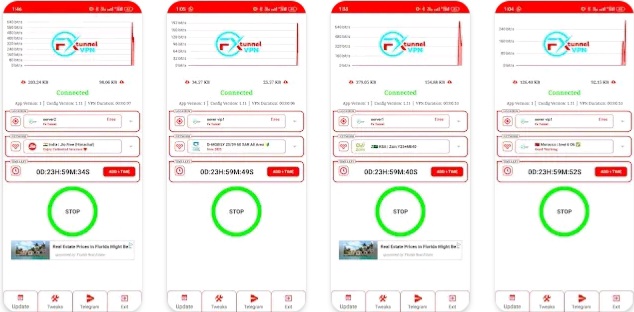
    Bd1:-Voice VPN is a fast and reliable VPN.

    Discover Voice VPN – Fast, Private, and Reliable VPN Access!

    Voice VPN gives you secure, unrestricted internet—no subscriptions, no accounts, no tracking. Make voice and video calls, browse privately, or reach global services with one tap.

    LIGHTNING-FAST CONNECTIONS

    • Connect in just 1–2 seconds to ultra-fast servers worldwide
    • Optimized for seamless calls, streaming, and browsing

    UNLIMITED BANDWIDTH

    • No speed throttling or data caps
    • Full-speed performance every session

    NO LOGGING, NO TRACKING

    • We never store or share your data
    • All session info stays on your device

    FREE & FLEXIBLE

    • Watch ads only when you choose – never forced
    • One ad earns 4 credits (≈2 hours of VPN time)
    • Connect for 2 credits; 1 credit every 30 minutes
    • Buy credits outright – no subscriptions or auto-renewals
    • Same high-speed connection whether free or paid

    LIGHTWEIGHT AND SIMPLE

    • No sign-up or registration required
    • Minimal battery and data use
    • Protect your connection with one tap and keep working in other apps

    WORKS IN RESTRICTED REGIONS

    • Built to overcome firewalls and censorship
    • Automatically retries and selects the best route

    SMART SESSION MANAGEMENT

    • VPN stays connected even after you close the app
    • Local notifications warn when credits run low

    We’re here for you!
    Got questions or suggestions? Contact us any time through in-app support.

    Your privacy. Your speed. Your Voice VPN.

  • HDC

    HDC

    Detect hidden spy cams and listening devices. Trusted by millions

    * Our response via comments goes to update section of your gmail app*
    Detect Hidden spy camera using hidden camera detector app :

    Magnetometer feature need to have magnetic sensor in your phone, other wise this feature will not work.

    How to use this app. How to find camera ?
    Move app near to any device that you have doubt. For example – shower, flowerpot, lens looking part or changing room mirror.

    This app analyse the magnetic activity around the device. If magnetic activity seems similar to that of camera, this app will beep and raise alarm for you so that you can further investigate.

    You have to move app facing your sensor towards the object.To know sensor position of your phone, have any camera and move nearby top of your phone and bottom of your phone. When it beeps, you find the sensor position

    Infrared camera detector – This app has one more tool which is detect infrared lights.Just open the infrared detector and scan for white light that appear on screen but not visible by naked eye. Such white light indicate infrared light.It could be infrared camera. Your normal cam can also detect it but what we have is inbuilt feature with luminescence effect.

    What less, get some easy techniques that can save you from potential exposure to hidden camera.
    You can share the location with friends easily if you find the camera so that they can take precaution when they visit this place.

  • WTMP

    WTMP

    WTMP Who touched my phone? Who tried to unlock? Who unlock? Don’t touch my phone

    WTMP : who touched my phone?

    Ever wonder, Who tried to unlock my phone in my absence? Who unlocked my phone? who touched my phone camera? Well here is a real deal in shape on WTMP: Who touched my phone. WTMP pro who will help you to catch intruder and take intruder selfie if someone tries to bypass lock of your smartphone, without your asking.

    WTMP App will take picture of anyone using front camera who tried to unlock your smartphone and it will a maintain list of record which include (intruder image , opened apps , date, time etc) which will be saved inside app and you can view them anytime.It will also take picture of anyone who enter wrong password (pin code, pattern or fingerprint). It will detect who took my phone if someone successfully unlocked your smartphone security and break into your smartphone. Who touched my phone app maintains a list of all opened apps after unlocking and user can easily catch thief.

    BASIC FEATURES :

    • Who unlocked my phone will take intruder selfie using front camera and catch who tried to unlock your smartphone while in your absence.
    • Maintain list of detailed records which include (intruder image, opened apps , date/time etc).
    • Snap Intruder will snap thief picture to get your smartphone back to you.
    • Protect WTMP App with Pin, Pattern or Fingerprint features provided with application in settings so no one can delete or access your records.
    • Work with built-in lock screen to monitor wrong pin, password or pattern lock.
    • Uninstall Protection : You can also protect this application from being uninstall from intruder using device admin receiver which can be enabled from in app settings.

    HOW TO USE :

    • Make sure to enable monitoring and then close app and lock your device.
    • When anyone unlock your smartphone or even tried to unlock your phone this app will take picture in background and maintain list of opened apps by intruder.
    • Full report will be saved when he/she lock your smartphone again.
    • You can view report from application records section.

    IMPORTANT :

    • WTMP use Device Admin Receiver to monitor pin or pattern attempts if someone tries to open your smartphone.
    • Device Admin Receiver also used to protect from uninstall without your consent.
    • It will not be used for any other purpose.
    • You need to deactivate device admin to uninstall this app. You can disable it from settings.

  • BCR

    BCR

    Record and save videos even when the app is closed, seamlessly in the background

    Background Camera Recording

    Background Camera Recording is designed for professionals needing discreet video recording. Our app ensures transparency with persistent notifications during recording and provides full control over recording settings.

    Key Features

    In-App Storage: All videos are saved within the app; download them to storage if needed.
    One-Touch Start and Stop: Supports shortcuts for quick operation.
    Background Recording: Turn off the screen and continue recording.
    Up to 4K Recording: Record in high quality up to 4K.
    Easy Configuration: Set duration, camera type, and video quality effortlessly.
    Password Protection: Lock your videos with a password.
    Unlimited Recordings: No restrictions on the number of videos you can record.
    Transparent Operation: Persistent notifications for active recordings, stoppable with a tap.
    High-Quality Recording: Options for HD, FHD, and UHD video qualities.
    Secure Storage: Recordings are stored locally, no data sharing without permission.
    Easy Management: Access, manage, and share recordings directly from the app.

    Security and Privacy

    Your privacy is paramount. Background Camera Recording operates transparently, ensuring you’re always aware of active recordings. All data is stored locally and never shared without your explicit consent.

    Transparency and Permissions

    We are committed to transparency:
    Clear Usage: Users are informed about when the camera is recording.
    User-Friendly Controls: Simple controls for starting and stopping recordings.
    Privacy Measures: Strong privacy protections to keep your data secure.
    Legitimate Use Cases: Ideal for interviews, process monitoring, and fieldwork.
    Permission Transparency: Clear explanations for each permission request, with no unnecessary permissions.

    Download Background Camera Recording today for professional, discreet video recording with peace of mind.